I’m Sreehari, a freelance digital marketer based in Kerala. I tested WordPress and Wix myself, hands-on, before writing any of this.
If you’re researching how to build a website, you’ve probably hit the same argument everyone does: WordPress vs Wix. Every article picks a winner, but it really depends on you, your time, and how your business plans to grow. Here’s what I found comparing both, so you can choose yourself instead of following generic advice.
On WordPress, I once loaded up a site with plugins for every feature I wanted, and it slowed down noticeably. I had to go back and remove the ones I didn’t really need. Later, testing Wix, I felt the opposite problem: it was smooth to build in, but I kept running into walls the moment I wanted something outside its templates.
Best CMS for Your Business: What “Best” Actually Depends On
Before comparing features, it helps to define “best.” The best CMS isn’t the one with the most features. It’s the one that matches your budget, your technical comfort, and where your business is headed.
WordPress vs Wix: The Real Cost Breakdown
On paper, WordPress looks free, and Wix looks like it costs more. In practice, it’s more nuanced than that.
WordPress:
- The software itself is free, open-source, and ad-free.
- You buy your own domain and hosting separately; that’s where the real cost comes in.
- Free hosting like InfinityFree exists, but with real limits: restricted storage, no email hosting, slower shared resources.
- Factor in a host, a domain, maybe a theme, and you’re looking at a modest monthly cost, but you control every part of it.
Wix:
- Free plans exist, but they display Wix branding and ads, which looks unprofessional for a business.
- Paid plans bundle hosting, domain, and the builder into one predictable price.
- You’re not shopping for hosting separately. Wix handles that layer for you.
If your priority is the lowest possible entry cost and you don’t mind a bit of setup work, WordPress wins. If you’d rather pay one predictable bill and never think about hosting, Wix’s model is simpler.
Ease of Use: Where Wix Genuinely Wins
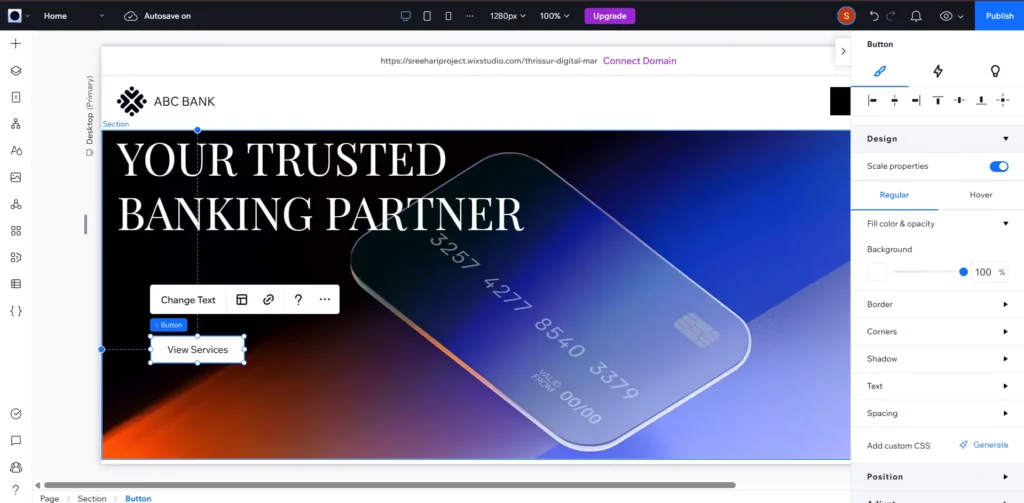
I won’t pretend WordPress is as easy to pick up as Wix. It isn’t.
Wix uses a drag-and-drop editor built for people with zero technical background. You place elements exactly where you want them, and what you see is what you get. That’s a real advantage for a small business owner who just wants a working site without hiring anyone.
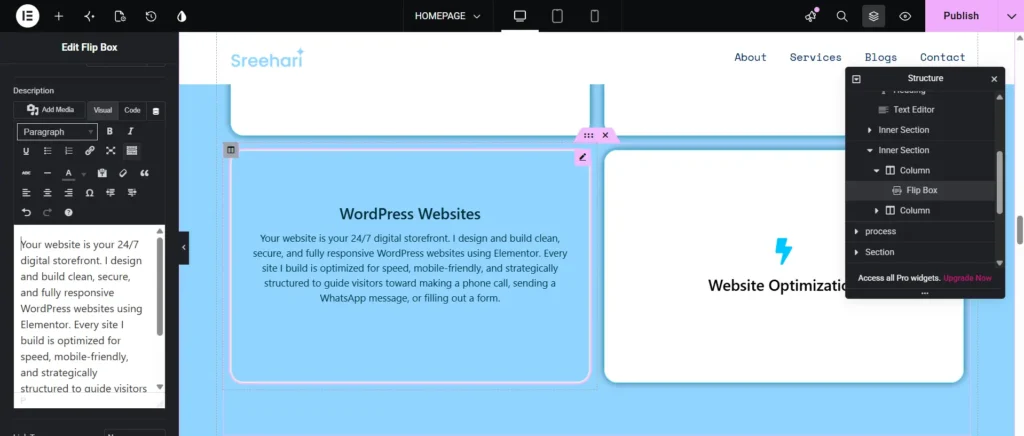
WordPress has a steeper curve. Themes, plugins, and a page editor take longer to feel natural. It’s moderately easy to learn, not effortless, so budget real time for it or hire someone who already knows it well.
Flexibility and Long-Term Growth: Where WordPress Pulls Ahead
This matters most once your business grows, and most comparisons skip it.
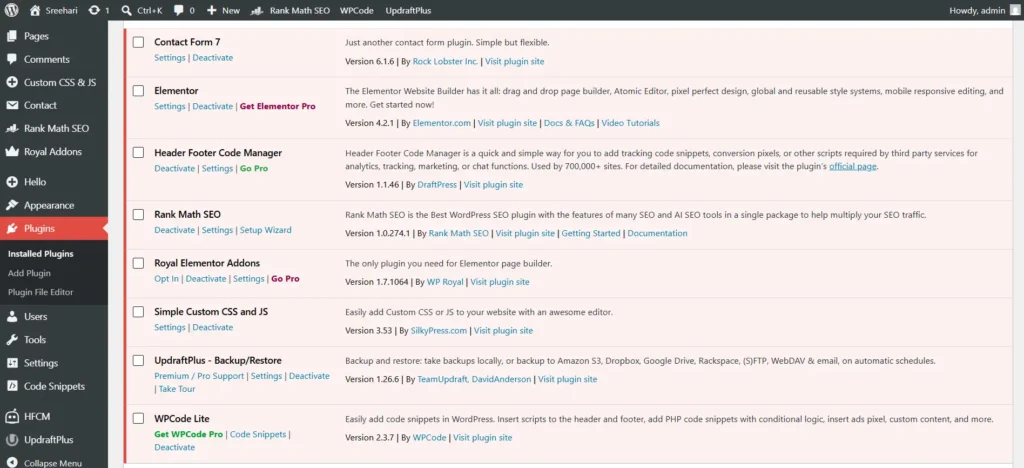
WordPress has a huge plugin ecosystem covering membership portals, booking systems, e-commerce, and custom databases. If it can’t do something natively, there’s usually a plugin or custom path that can.
Wix doesn’t offer that ceiling. The mistake I see most often: people build on Wix because it’s easy, then find that if the business needs something Wix doesn’t support, like a custom database or a member portal, there’s no upgrade path. You can’t migrate your existing design elsewhere. You rebuild from scratch.
That cost just shows up later, often once the business has already outgrown Wix. There’s also a smaller issue: once a Wix site is published, you can’t switch its core template without rebuilding the layout yourself.
WordPress vs Wix: Side-by-Side Comparison
| Factor | WordPress | Wix |
| Software Cost | Free (open-source) | Free plan (with ads), paid plans remove branding |
| Hosting & Domain | Bought separately | Bundled in plan |
| Learning Curve | Moderate | Low (drag-and-drop) |
| Scalability | Very High (custom code/plugins) | Limited (template lock-in) |
| Migration | Full ownership of files | Full rebuild required |
| Ongoing maintenance | You’re responsible for updates and security | Handled by Wix |
| Hiring help | Generally cheaper: WordPress developers and builders are widely available at lower rates than custom coders | Fewer specialists needed, but also fewer available if you need custom work |
WordPress currently powers roughly 41.2% of all websites on the internet as of April 2026, according to W3Techs. That also means there’s a much larger pool of WordPress freelancers, agencies, and tutorials available if you ever need help.
So, Which Should You Choose?
Here’s the framework I actually use when someone asks me whether to pick WordPress or Wix.
Choose Wix if:
- You want to launch a basic business site without hiring anyone
- Your priority is running your business without ever touching code, servers, or security updates
- You don’t expect to need advanced, custom functionality down the line
Choose WordPress if:
- You’re willing to spend time learning it, or budget for a developer
- You want full ownership and control over every part of your website
- Your business might need custom features, complex e-commerce, or a member portal as it grows
- You want the flexibility to migrate your site freely between hosts in the future
Neither answer is universally “better.” This is genuinely a decision to make based on where your business is today and where you expect it to be in two or three years.
Full disclosure: I offer WordPress site-building help, so weigh that against my framework above. But if you’d rather skip the guesswork, let’s build your WordPress site.
Common Mistake to Avoid
The biggest mistake I see: choosing WordPress purely because it’s “free” and flexible, without accounting for the time and skill it takes to keep it running. Updates, security, backups, and troubleshooting all fall on you or whoever you hire.
The mirror mistake happens with Wix: picking it for the easy setup, then not thinking about what happens if the business outgrows it. There’s no partial migration, only a full rebuild.
Think about where your business will likely be in two or three years before you commit, not just where it is today.
FAQs
Is WordPress really free? The WordPress software itself is free and open-source. You’ll still need to pay for hosting and a domain, which is the actual ongoing cost.
Can I switch from Wix to WordPress later? You can move your business to WordPress later, but you can’t carry over your existing Wix design. You’ll be rebuilding the site from scratch on the new platform.
Is WordPress hard to learn for a beginner? It’s moderately difficult: harder than Wix, but learnable with time. Many business owners either invest a few weeks learning WordPress basics or hire a WordPress builder, which tends to be more affordable than hiring a custom developer.
Which platform is cheaper long-term? It depends on your usage. WordPress can be cheaper if you’re comfortable managing your own hosting. Wix’s all-in-one pricing can be more predictable but adds up on higher-tier plans, especially for e-commerce.
Final Takeaways
- If you want the absolute simplest path to a live website with no ongoing thinking about it, go with Wix.
- If you want full control, room to grow, and cheaper access to skilled help, go with WordPress and expect a learning curve.
- Whatever you pick, base the decision on your business’s plans for the next few years, not just how easy the platform feels on day one.
One Response